back
01. Empathize
To understand user knowledge, behaviors, and preference around live content and our overing overall, our team conducted multiple user research sessions. Our main takeaways included:
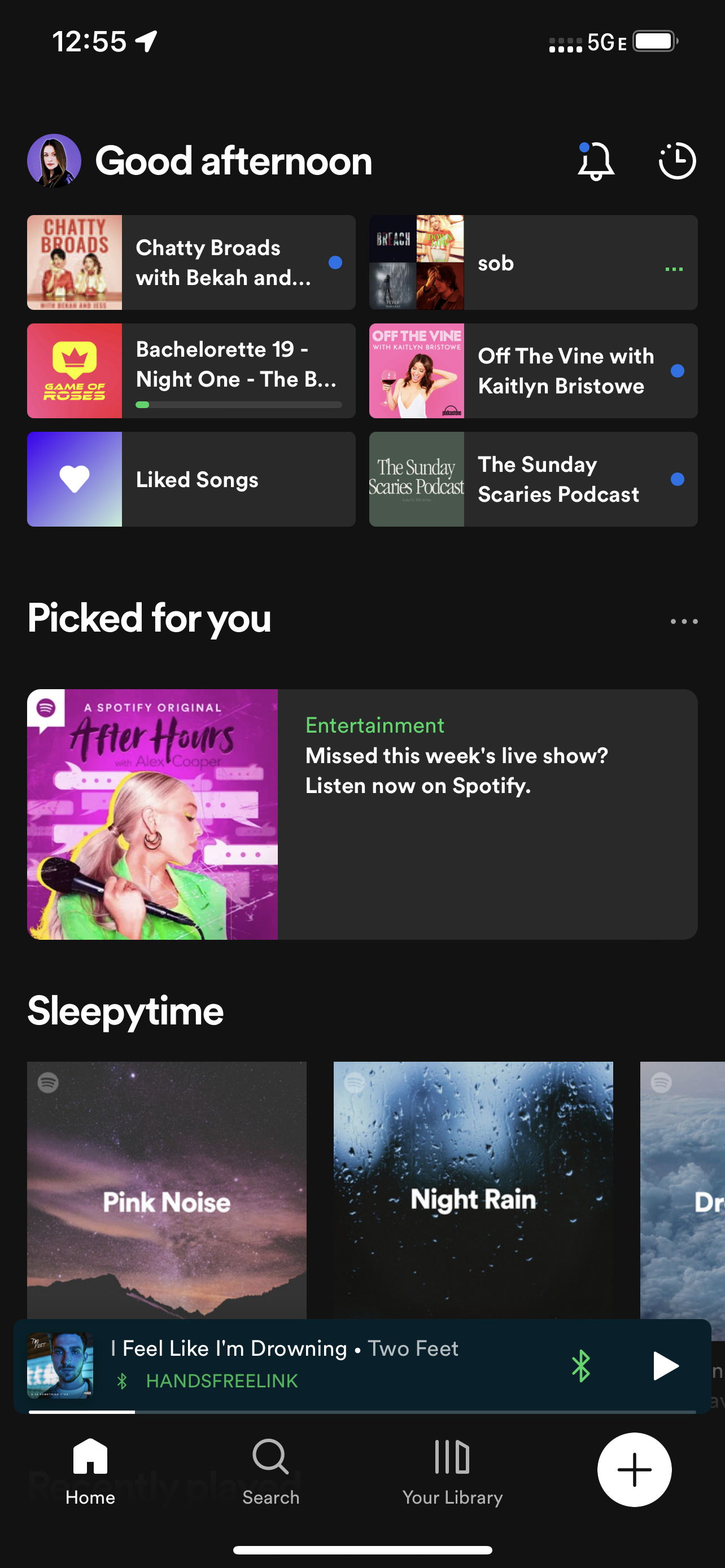
Many users did not know we had a live offering, and were confused about the need to download another app to listen to live content
It was hard to discover live content or see when a creator was going live in the future
Notifications are necessary for timely content
Users who wanted to explore content deeper and interact were more inclined to switch between apps, while the ones who just wanted to listen preferred one app
02. Define
User Stories
While we had a lot of problems to tackle, users highlighted the core barriers to consumption as difficulty navigating between apps and lack of discoverability. This narrowed our focus to the following:
As a user, I want to be able to find live content without downloading a new app
As a user, I want to know what shows are going live and when
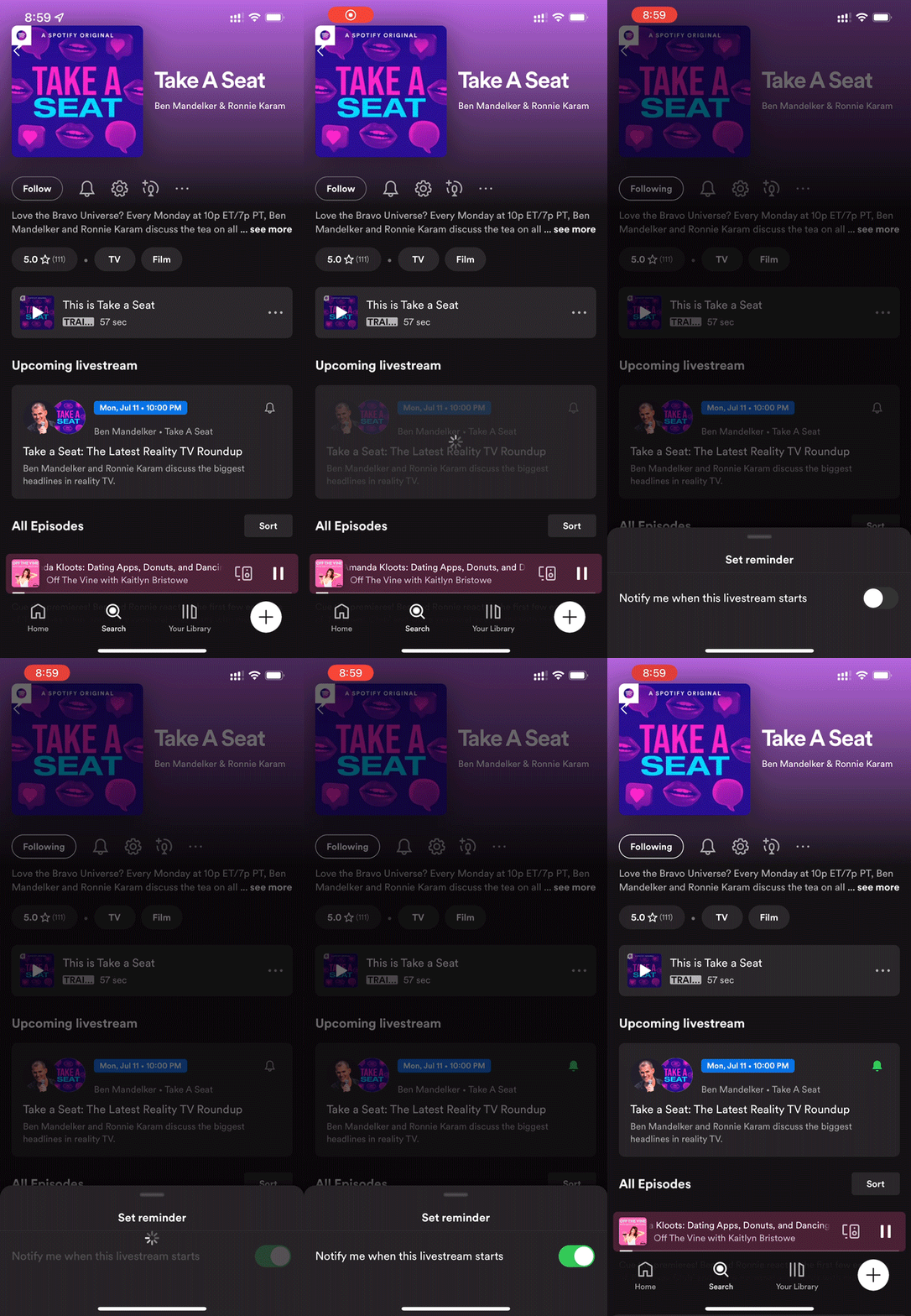
As a user, I want to be reminded when a show I like is going live
User Flow
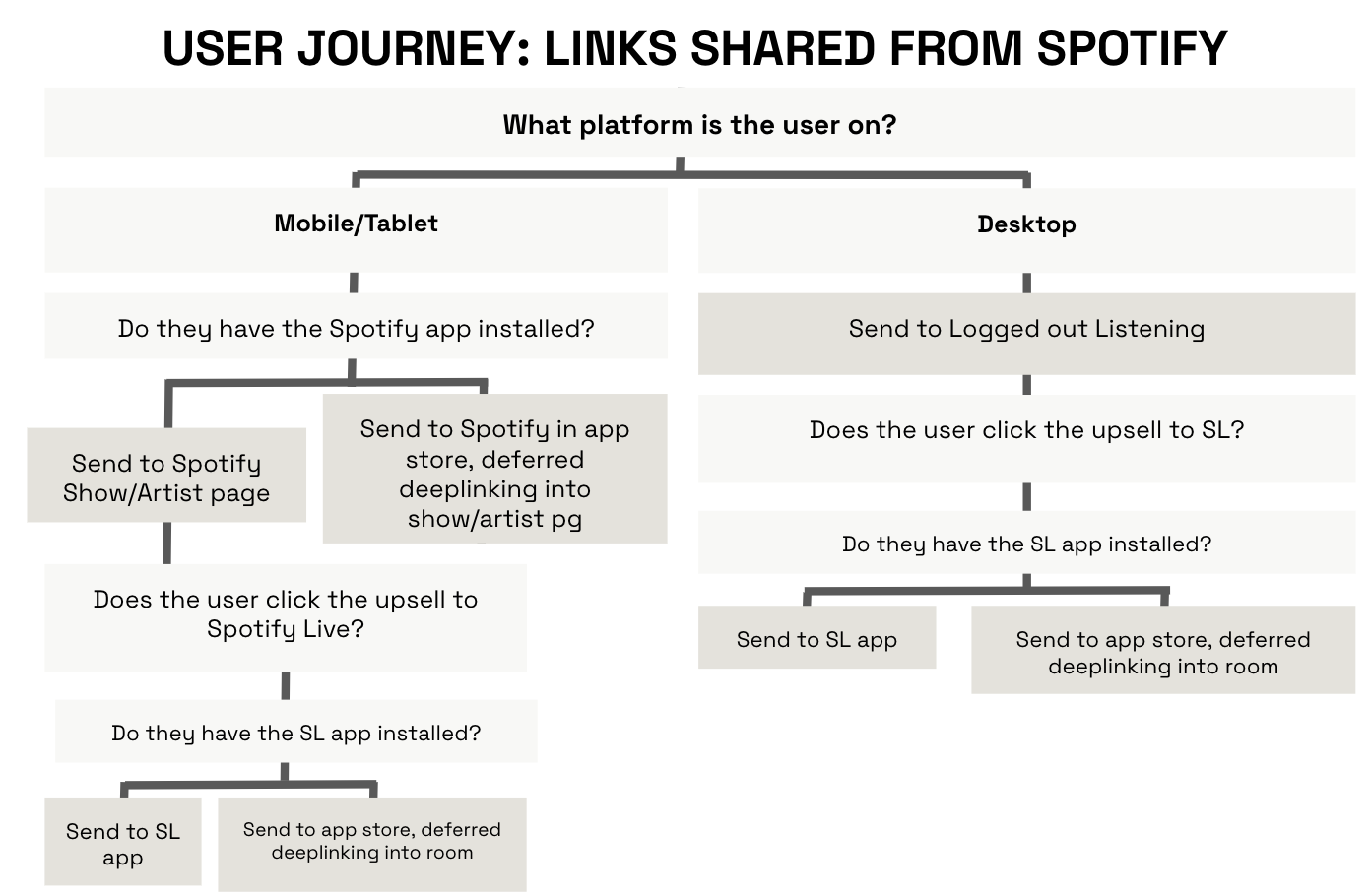
We mapped out user flows for our user
stories to provide context for the 3 main
journeys we hoped to create
HMW statements
It’s difficult to understand when a creator is going live
How might we … visually present information to indicate a specific creator has or will have a live show?
The need to two apps
How might we … streamline the journey from discovering content to listening?
03. Ideate
We hypothesized previously that we would likely need to integrate parts of the live app into our main app if we wanted to scale, but now we had a more clear understanding of what that integration would look like.
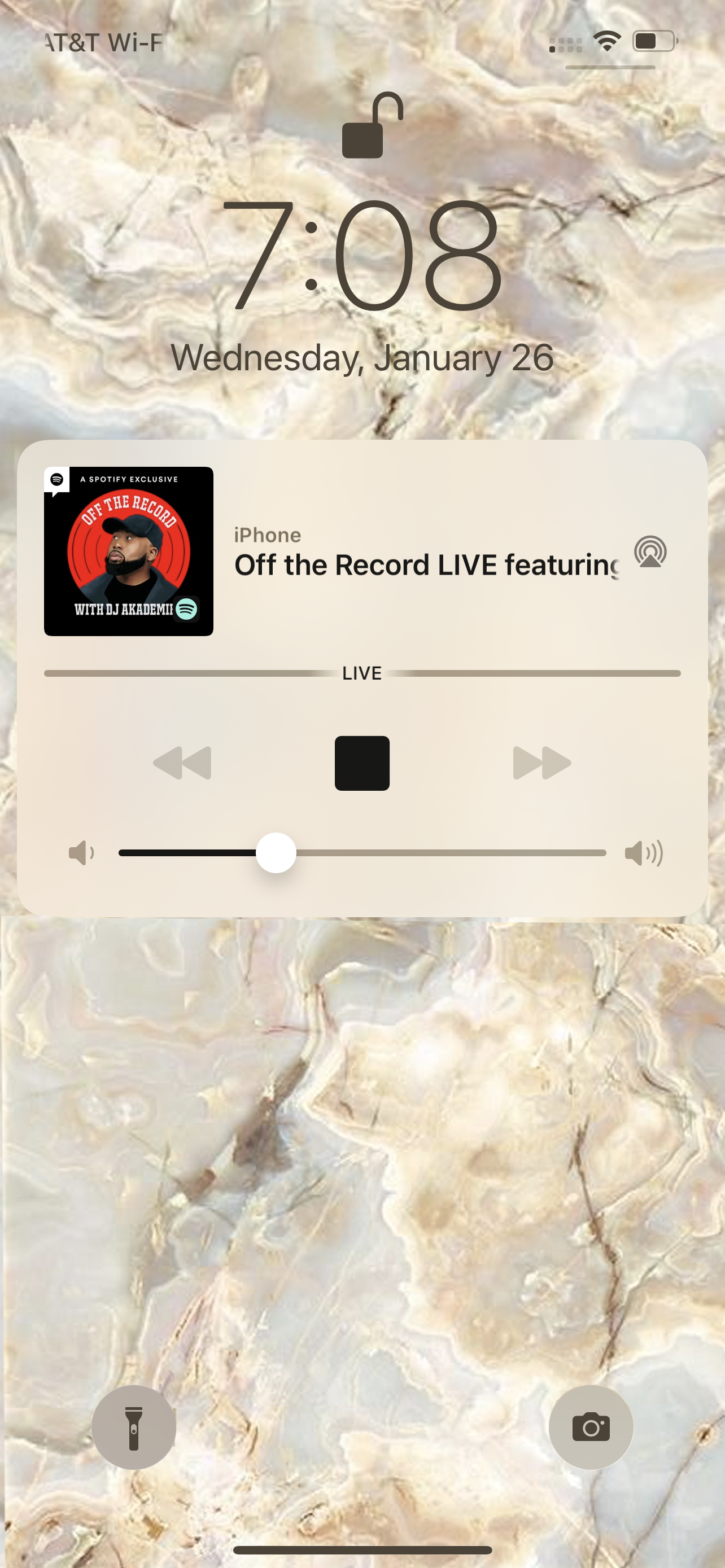
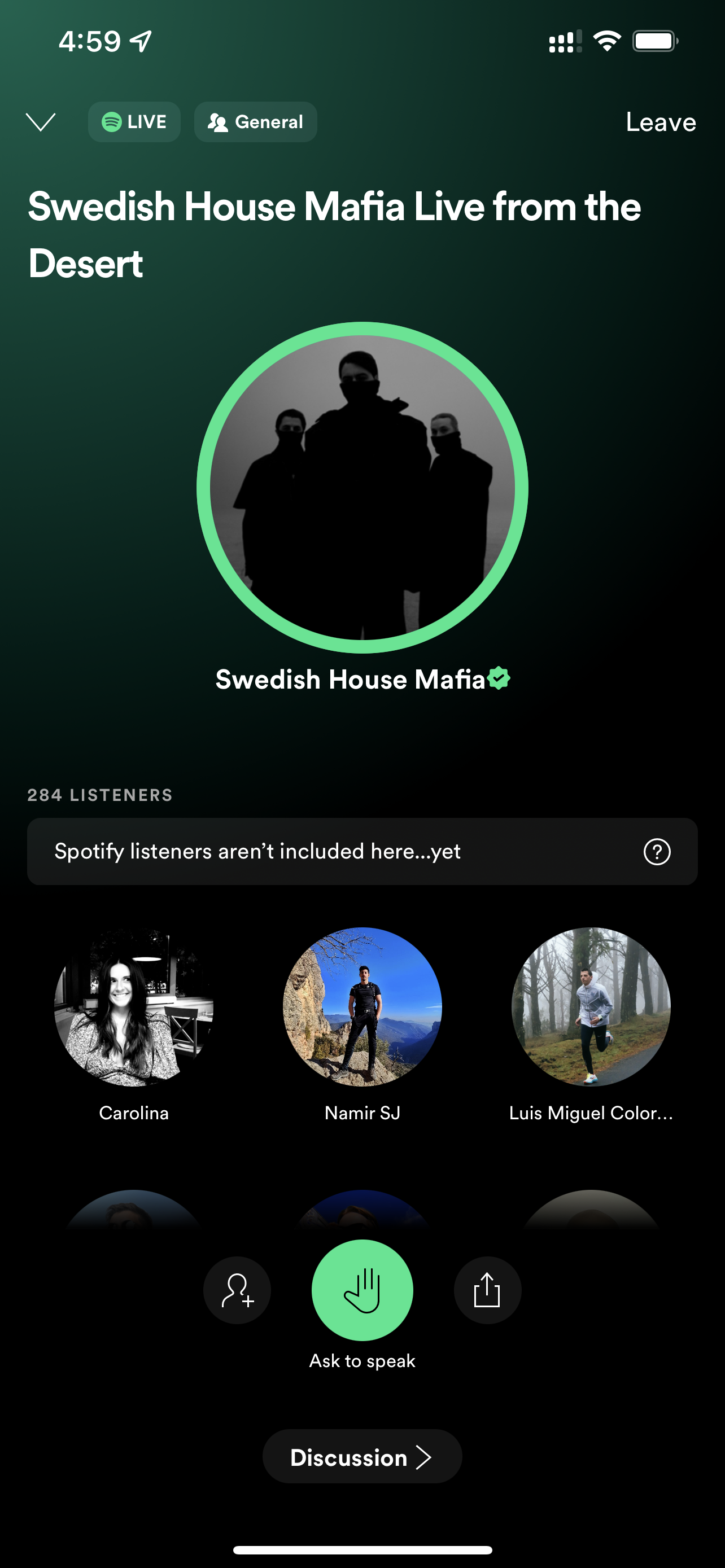
Our team collaborated and experimented with where an entry point to live content could be, and how it would be associated with a specific show or creator. Due to trust and safety limitations, the interactive portion needed to remain in the standalone app, so we also explored options for educational messaging to upsell for interactivity in Spotify Live app, as well as an easier onboarding process if users did choose to interact.
04. Prototype
The prototypes we aligned on for testing included:
Entry points
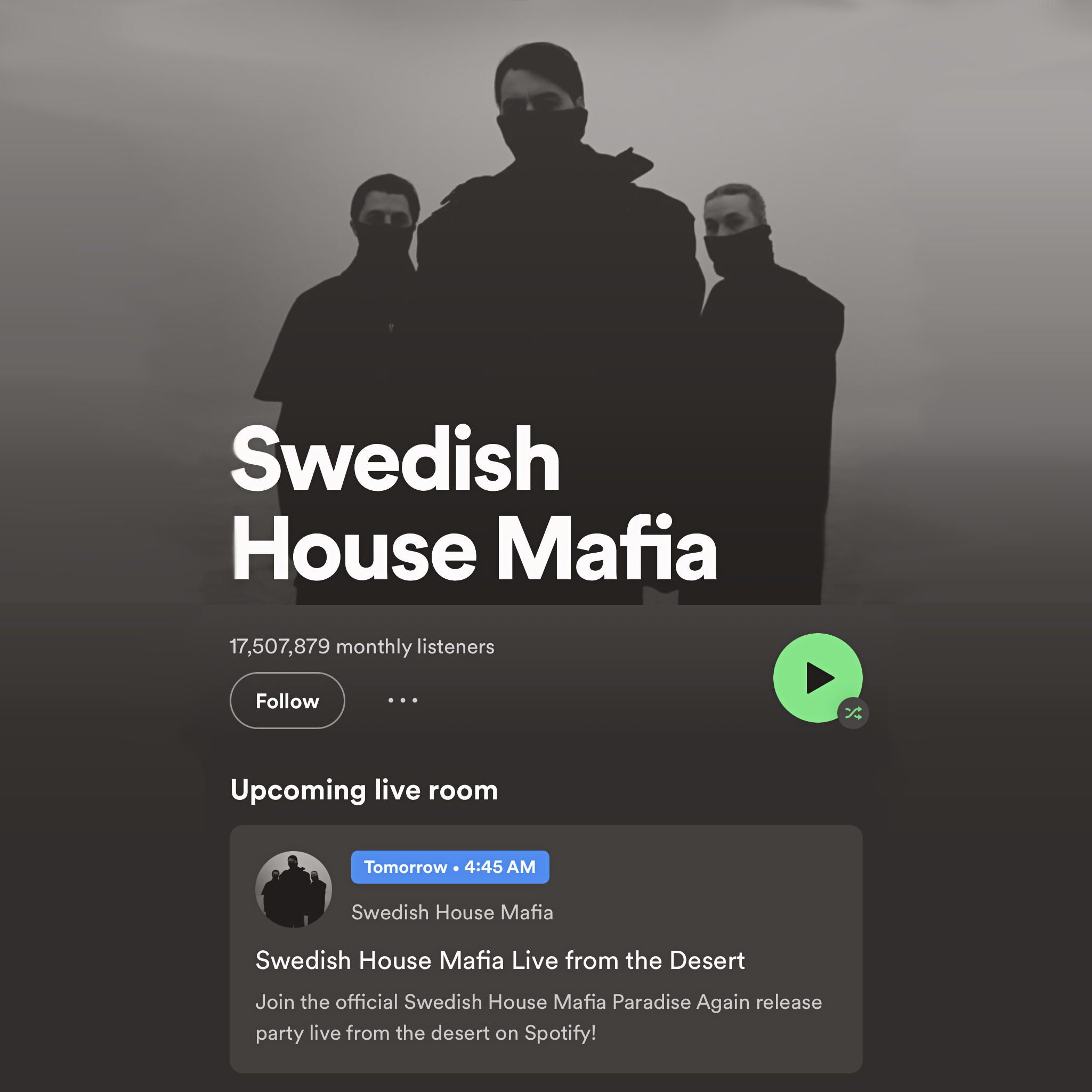
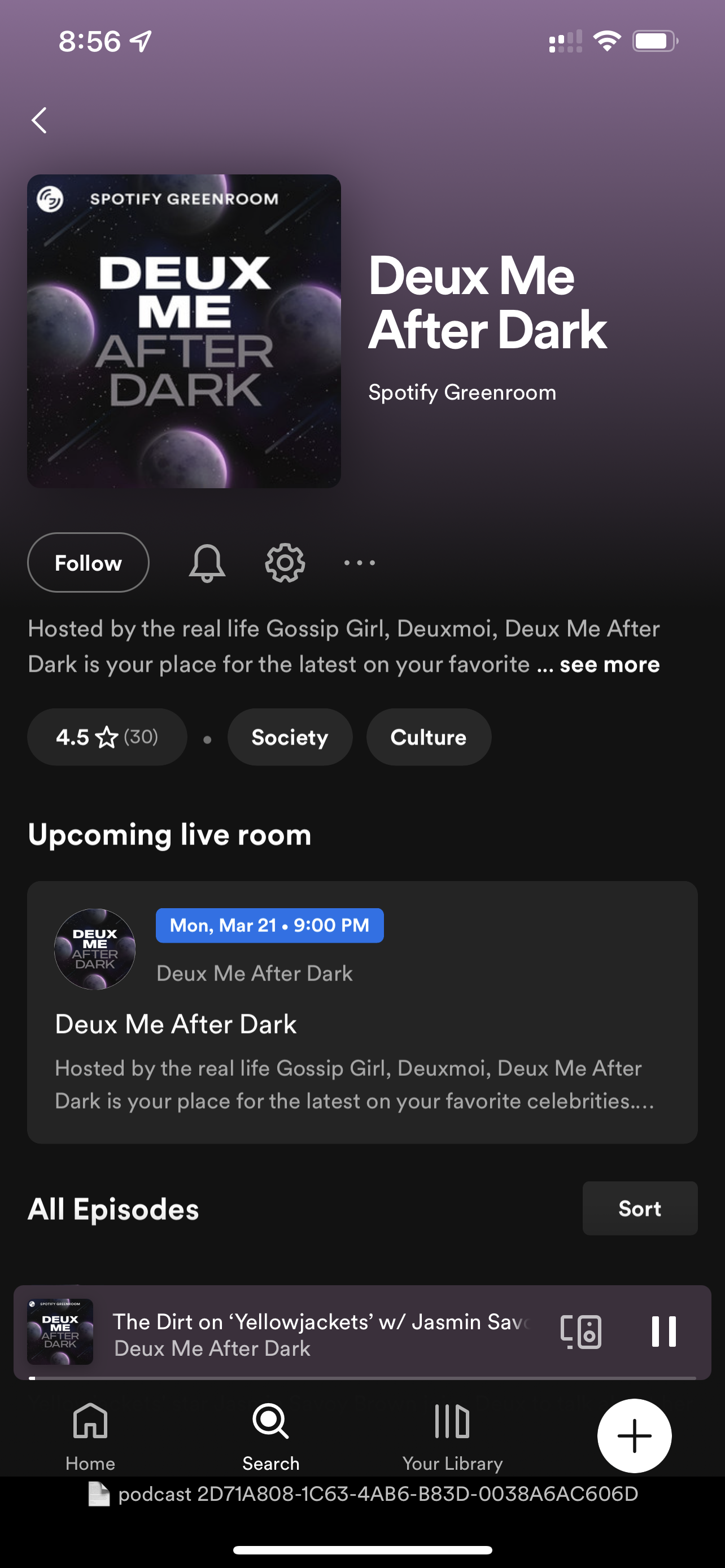
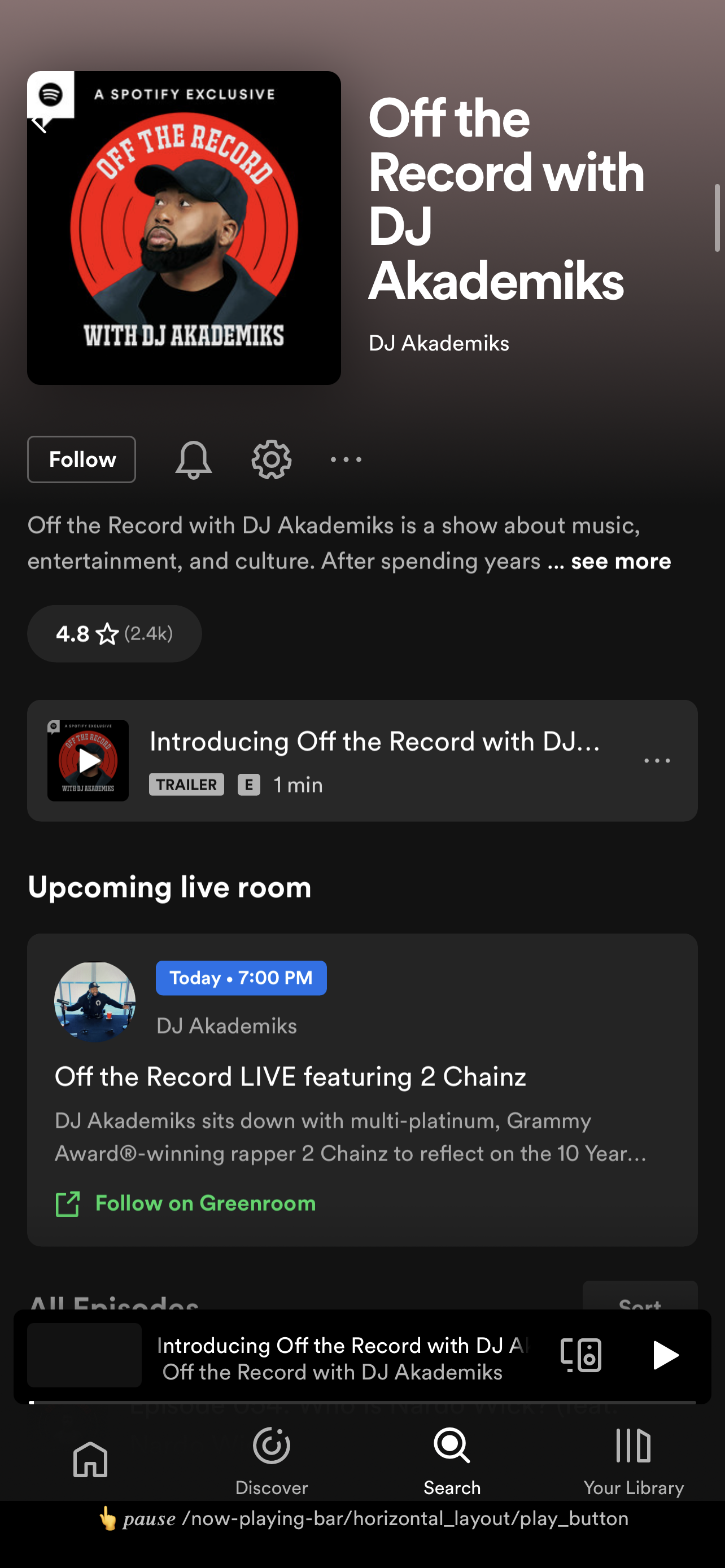
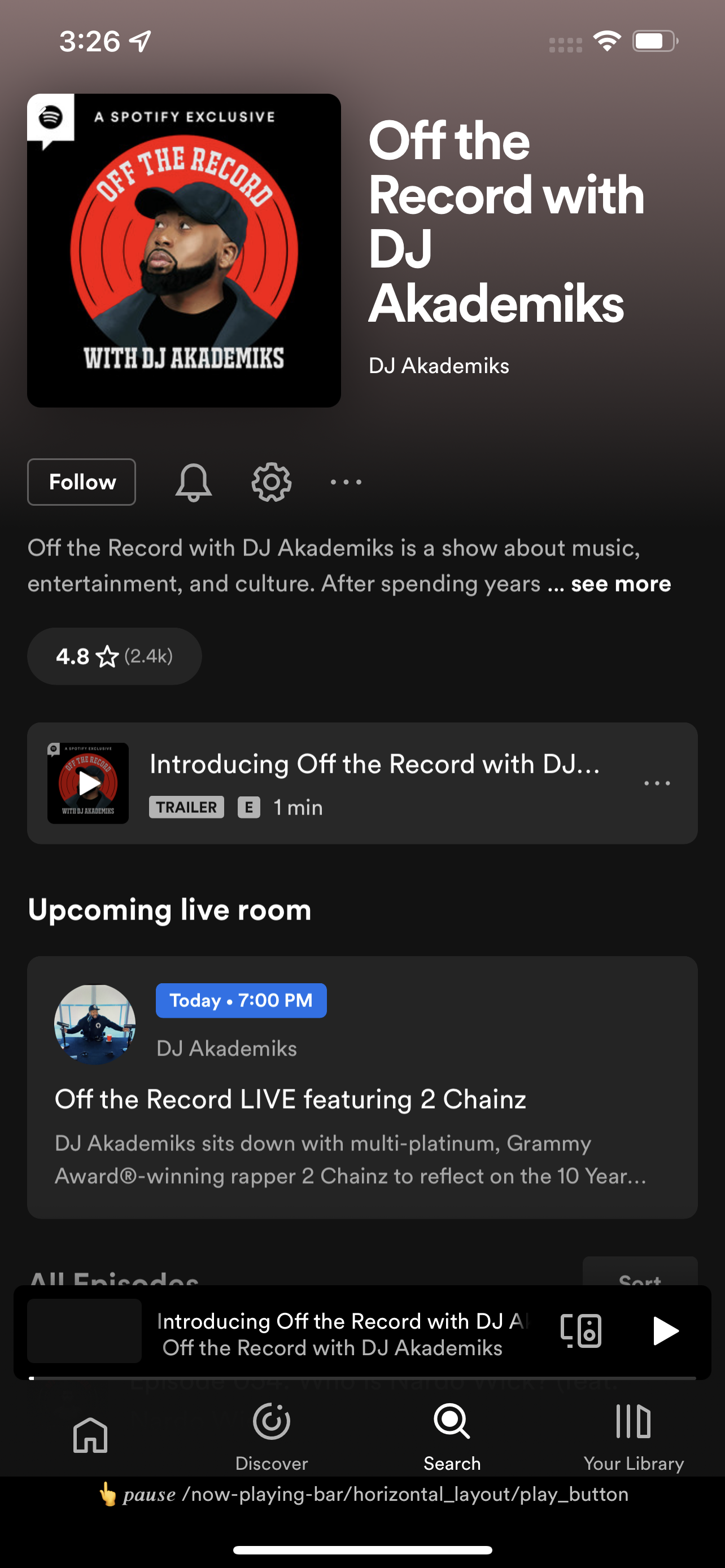
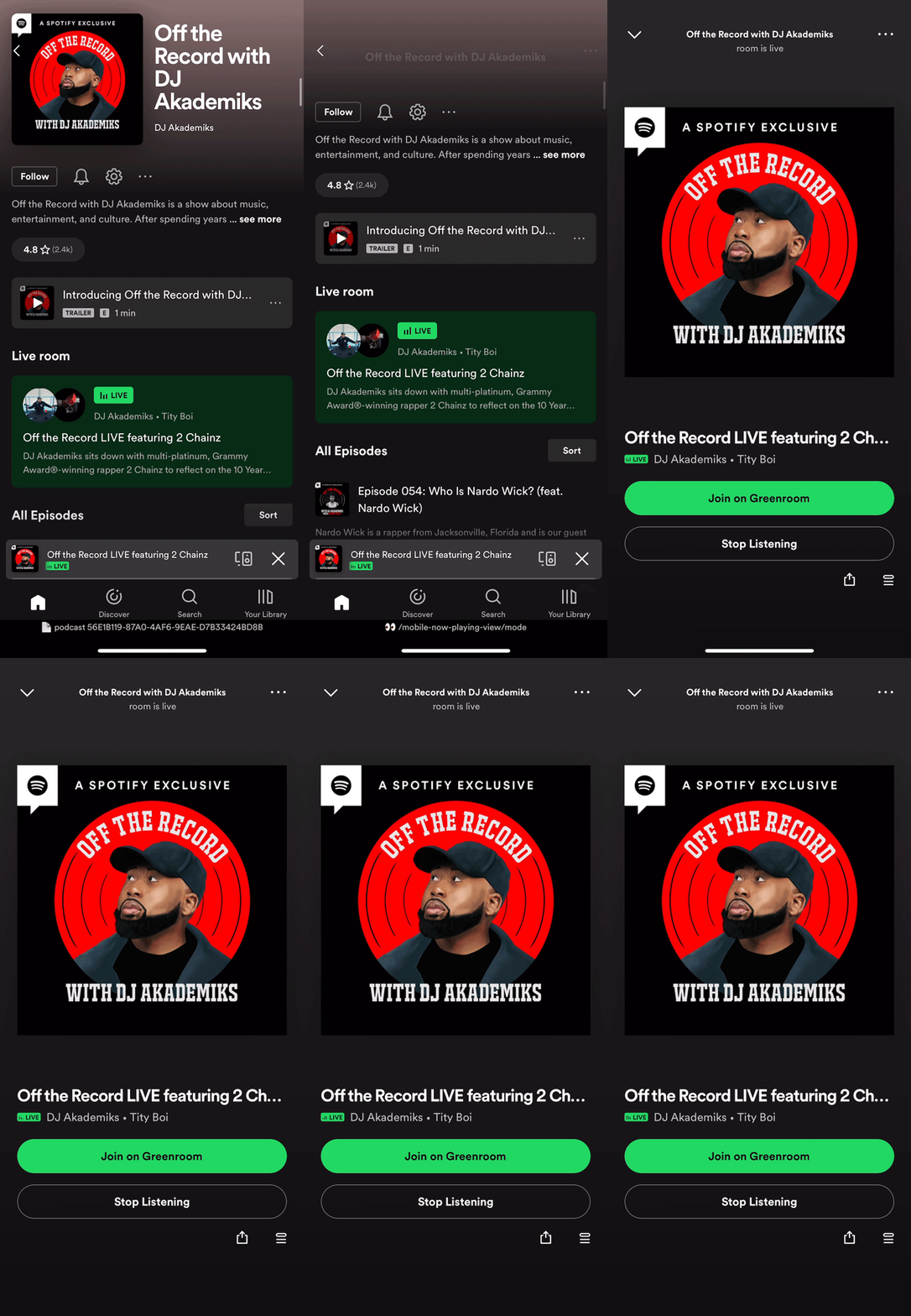
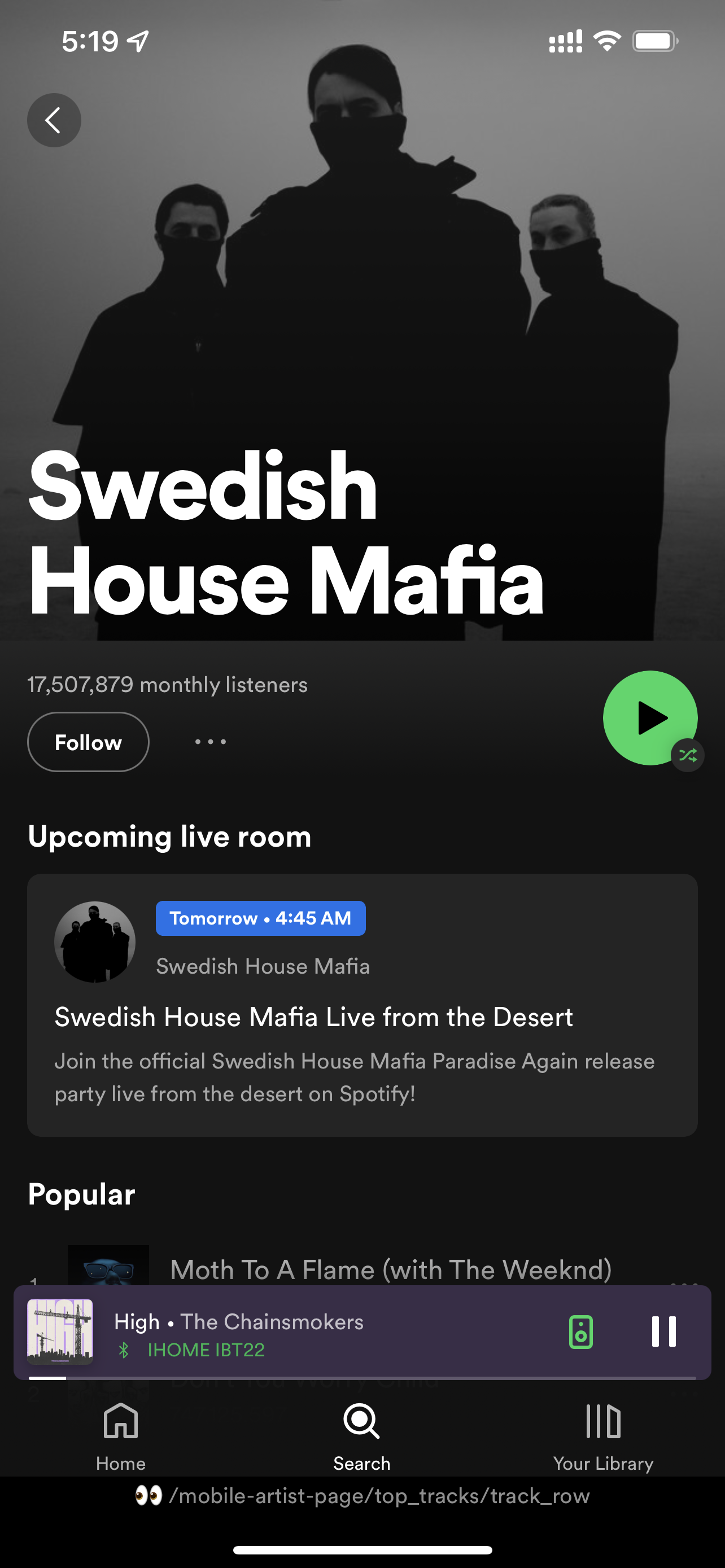
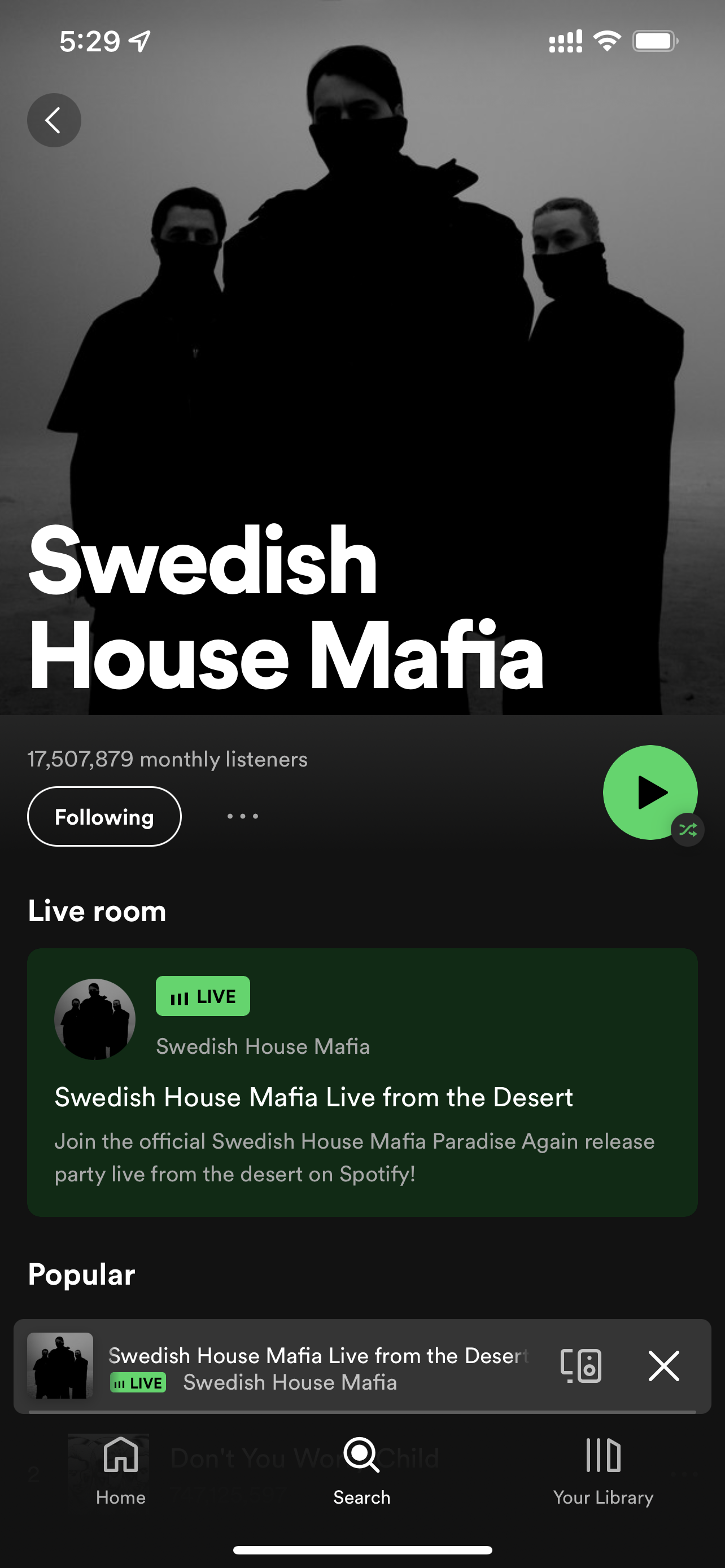
Live rooms could be discovered and accessed on Artist or Podcast Pages, depending the type of creator. There are two states for this entry point - ’upcoming’ and ‘currently live’.
We explored multiple ways to display this component to ensure it was distinguished from the rest of the content.
Live room page
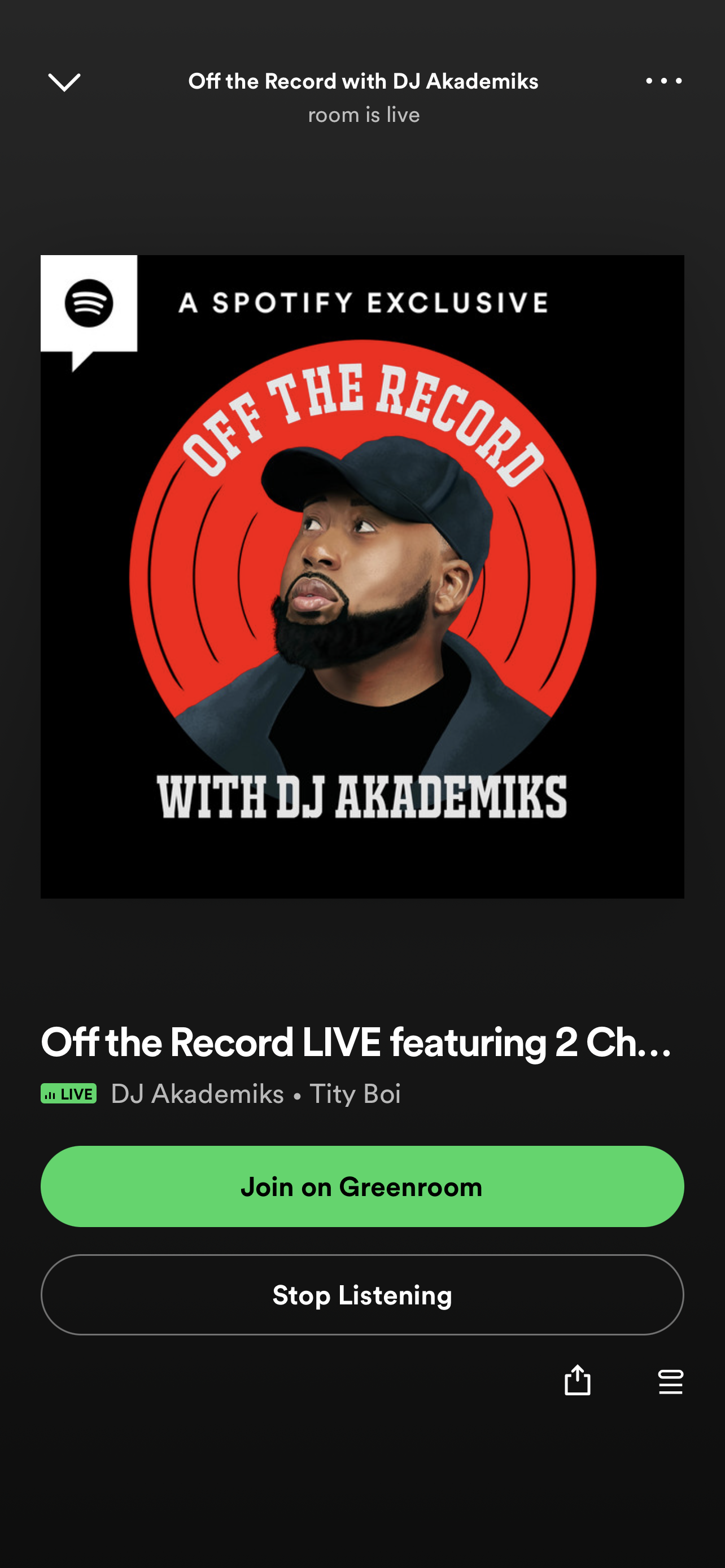
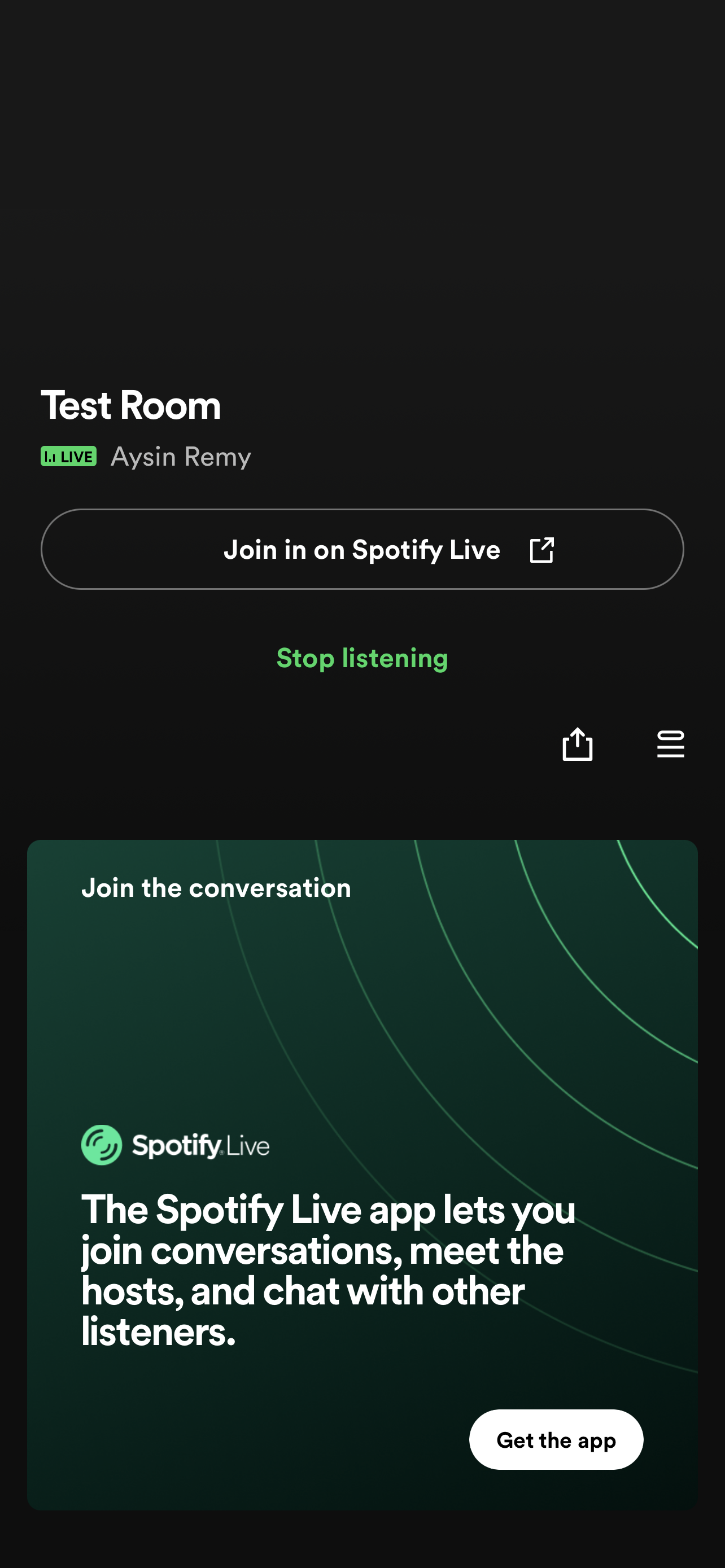
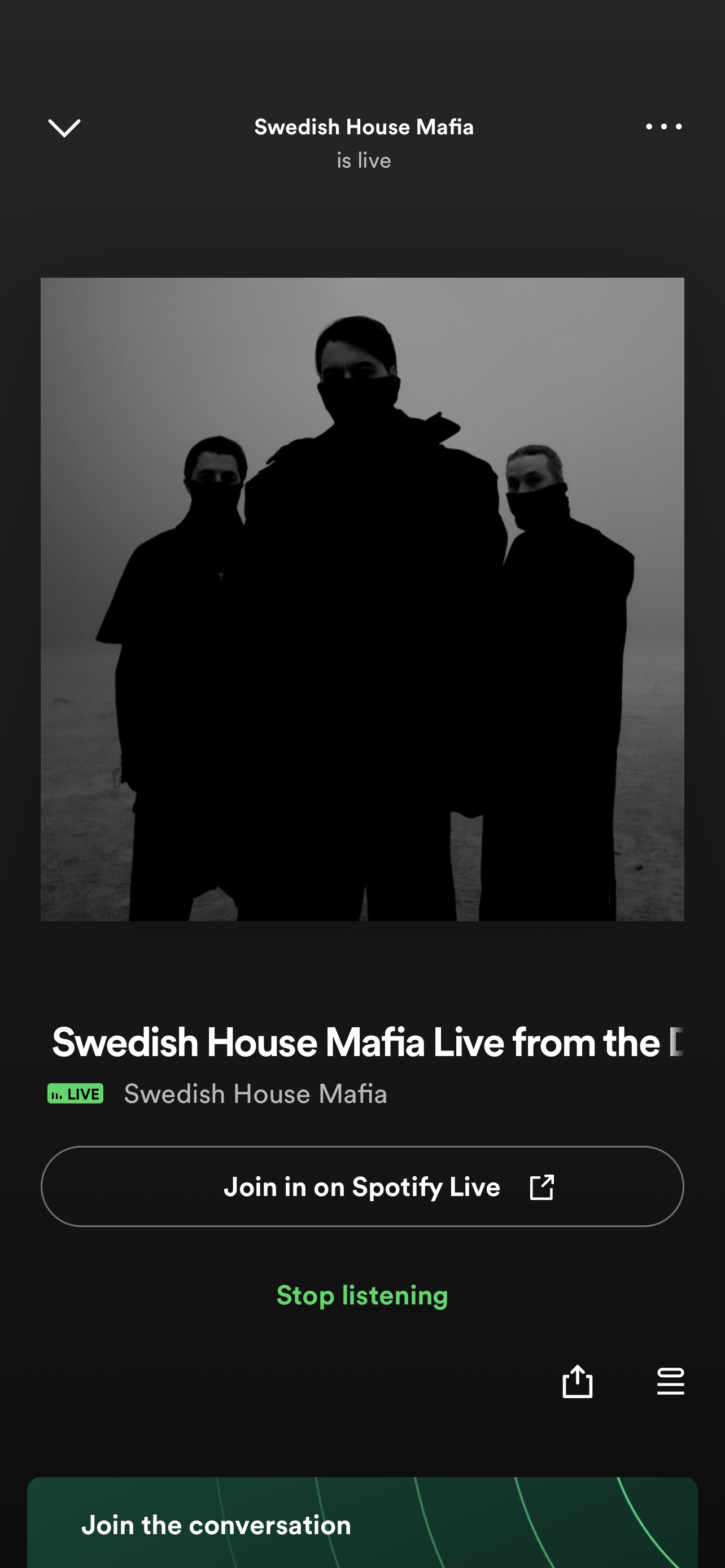
Users would be brought to a live room in app with the option to be upsold to the live app
We looked at iterations to see where this CTA should live and ultimately landed on the now playing page to ensure users could engage with the content in a familiar place first
Notifications
In-app notifications would be manually set up in advance and deployed when rooms went live, targeting users with high affinity to related artists/podcasters
This required a large development change, so testing this feature was necessary to make a case to build it out further
05. Test
We had a soft launch with the MVP product to stress test the functionality of live listening in the main app, get a baseline measurement of the funnel, and inform the product in the future phases.
Launch parameters
Release on mobile only (iOS and Android)
Testing with only select owned and operated shows/creators with an introduction of new O&O shows after building momentum
Initially limited marketing and promotional push
In parallel to launch, we also prepared for future iterations
Developed strategies to scale to more surfaces, creators and platforms
Validated future iterations through qualitative/quantitative methods
Ideated end-to-end designs for future phases